Slab Pad for Mac
The Markdown editor your AI can actually use.
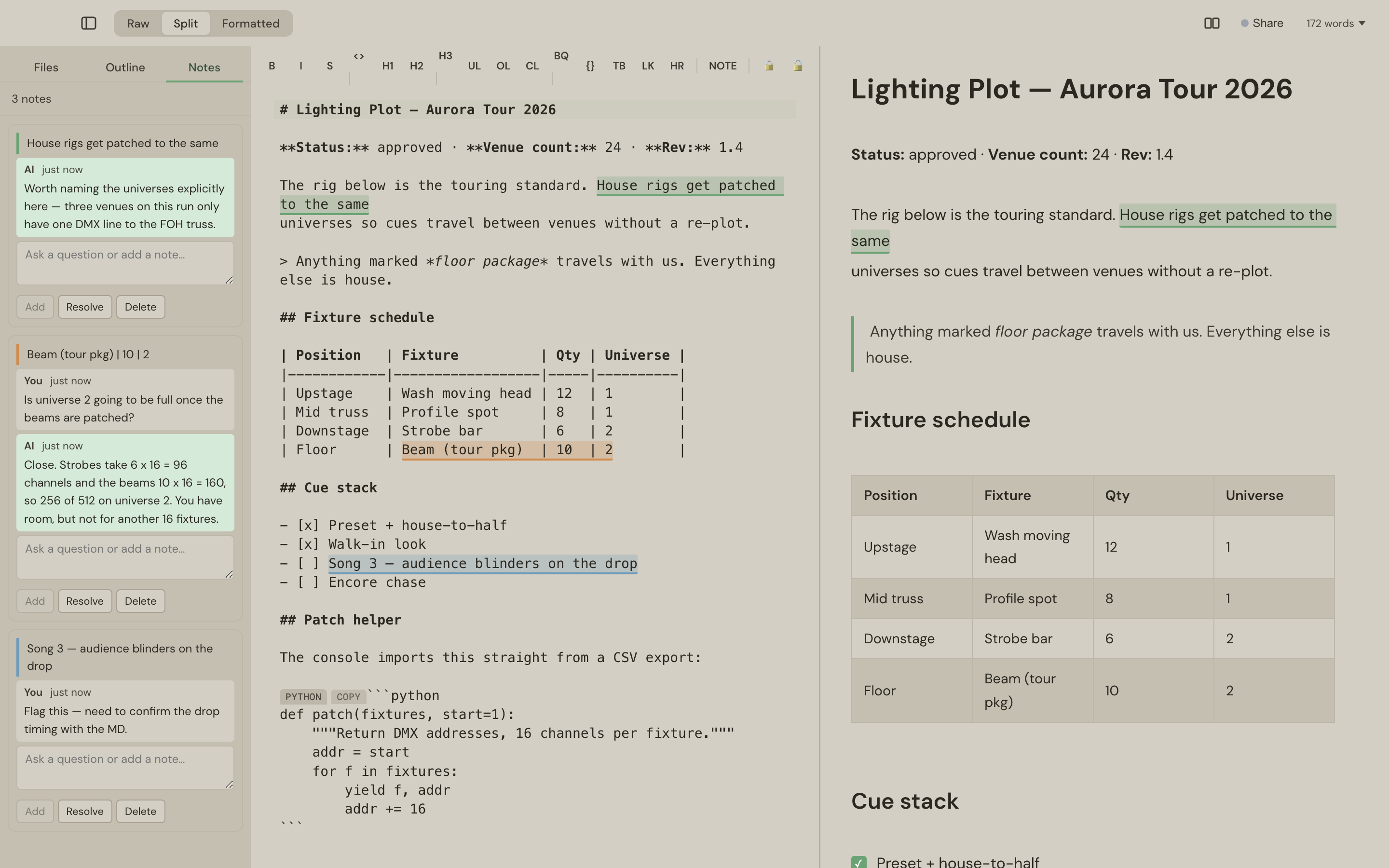
Slab Pad runs a local MCP server, so the assistant you already pay for connects straight to the editor. It answers questions in the margin and edits the section you're looking at — and nothing leaves your Mac.
Free for 10 days. One payment, yours forever, on 3 Macs.
Your AI, in your editor, on your machine.
No second AI subscription, no copy-pasting into a chat window, no thinking scattered across app-by-app chatbots. Your own assistant — with its memory and history — connects over MCP, loopback only and token-protected, and works on the document with you.
“Finish this section”
It reads your selection and writes into it — in place.
“What does this clause commit us to?”
It answers against your highlight, in a thread beside the text.
“Draft the summary”
New work arrives as a fresh tab, unsaved until you choose.
“Review this and flag anything risky”
You come back to highlights with comments waiting — and reply in the thread.
Every AI edit goes through the same code path as your own typing — undoable with ⌘Z, and the tab is marked dirty. Nothing happens silently. Setup is one command from Slab Pad → Connect an AI.
Notes your AI answers.
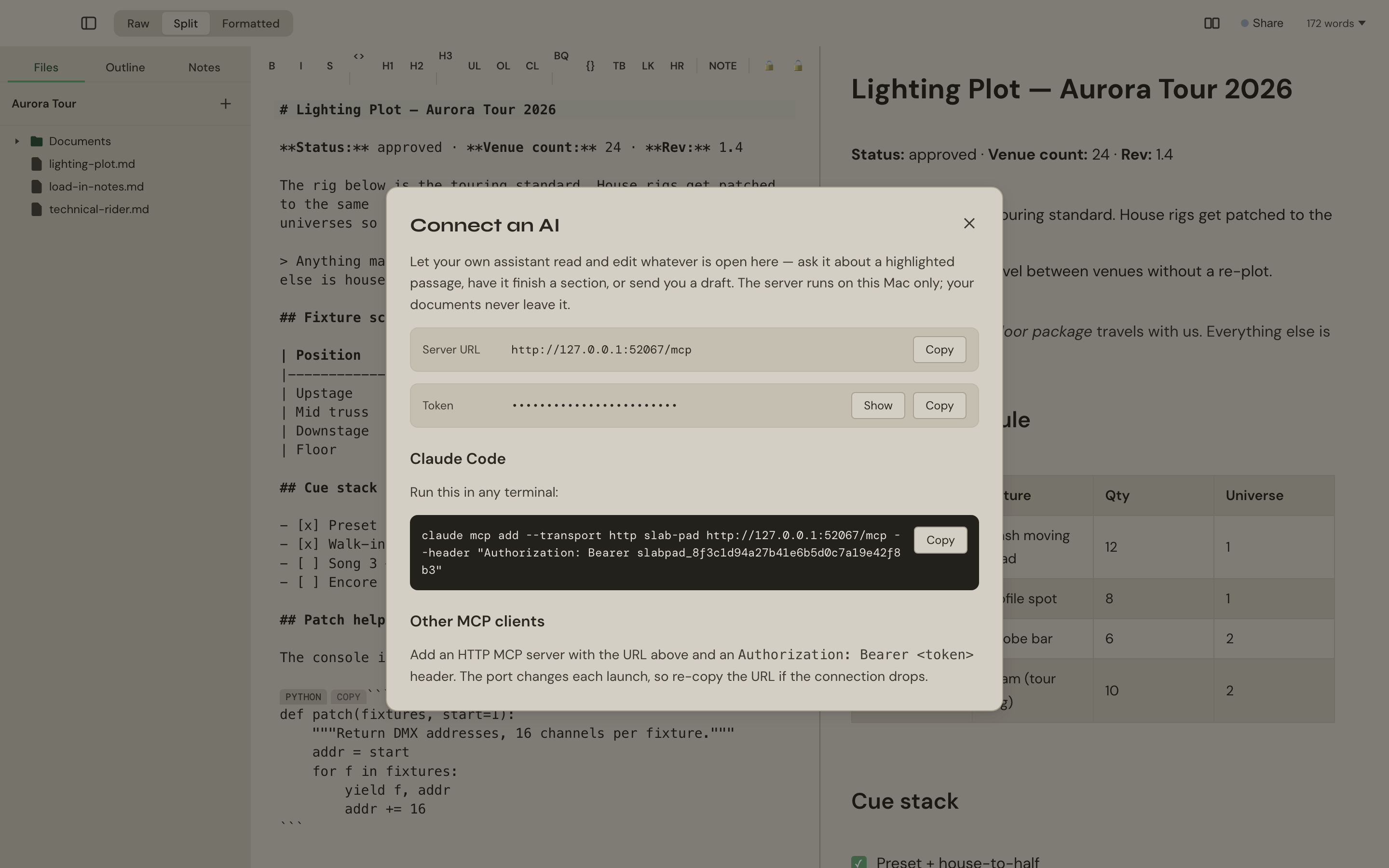
Select text, press ⌘⇧H. You get a coloured highlight anchored to the words and a thread in the sidebar. Ask a question; your AI answers in the thread, next to the passage it's about.
- Highlights anchor to the text, not line numbers — edit above them and they follow.
- Threads save to a hidden sidecar beside the file, so they travel with the folder into git, Dropbox or a zip.
- Resolve threads to clear them from the list.
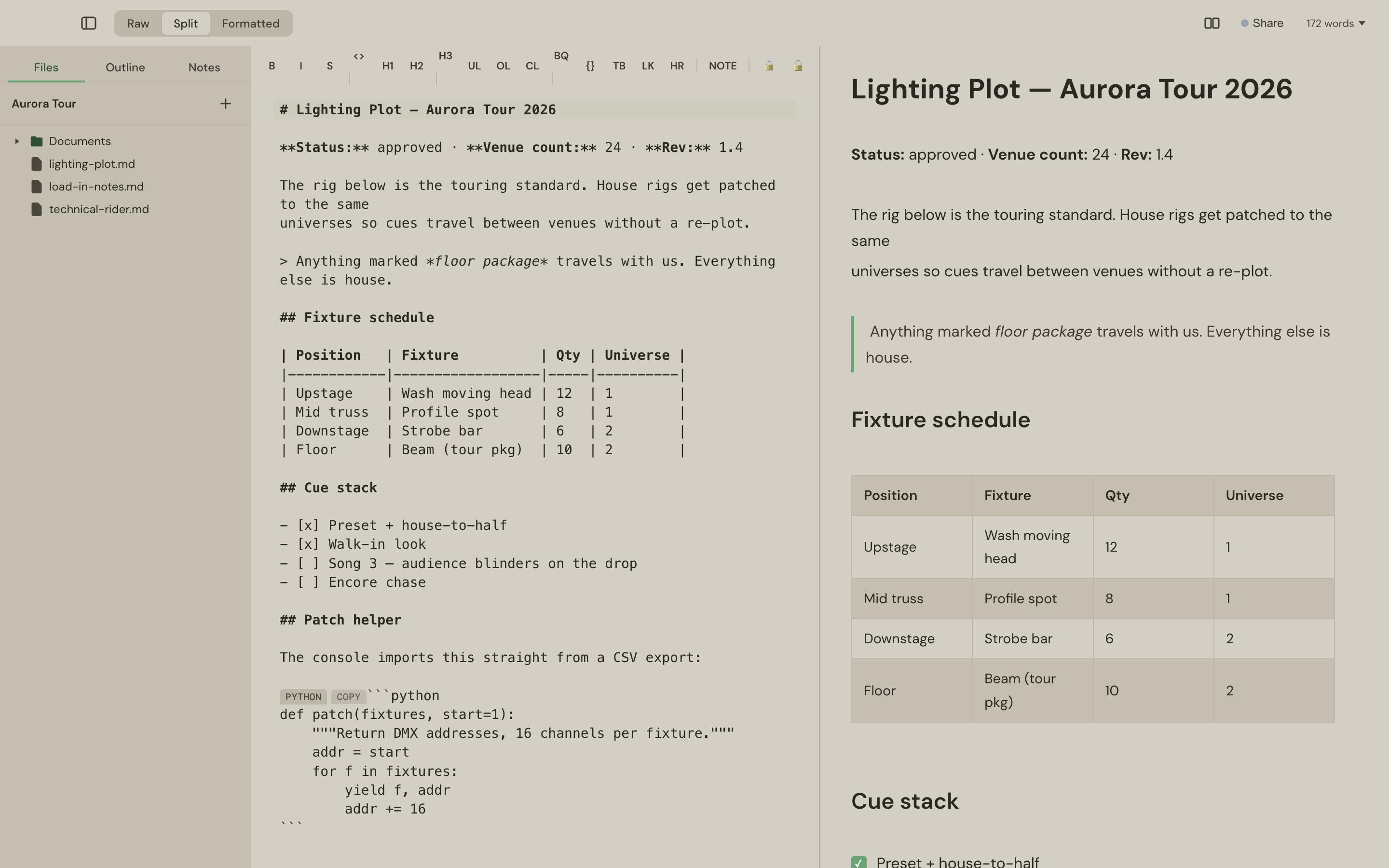
Raw, formatted, or both.
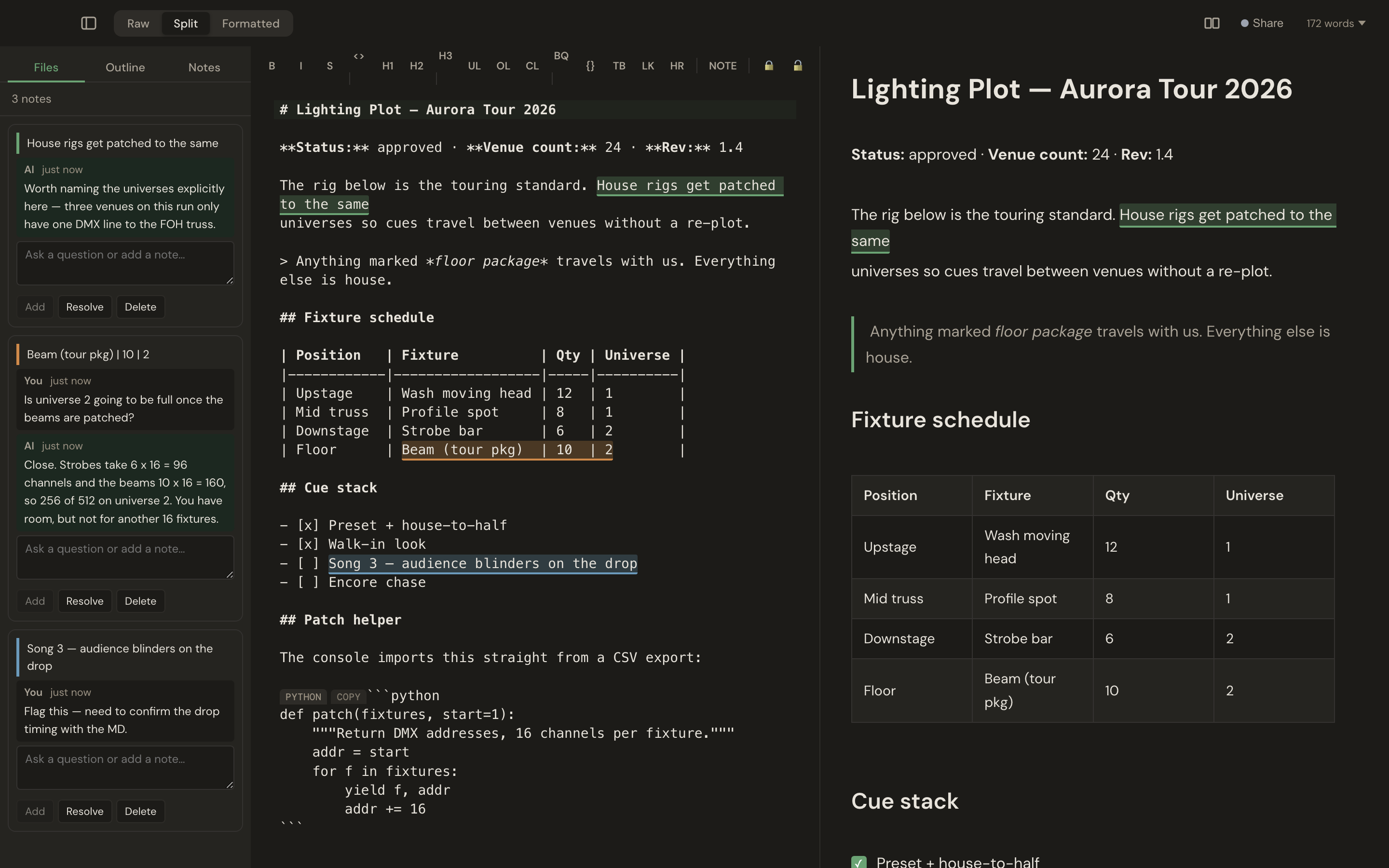
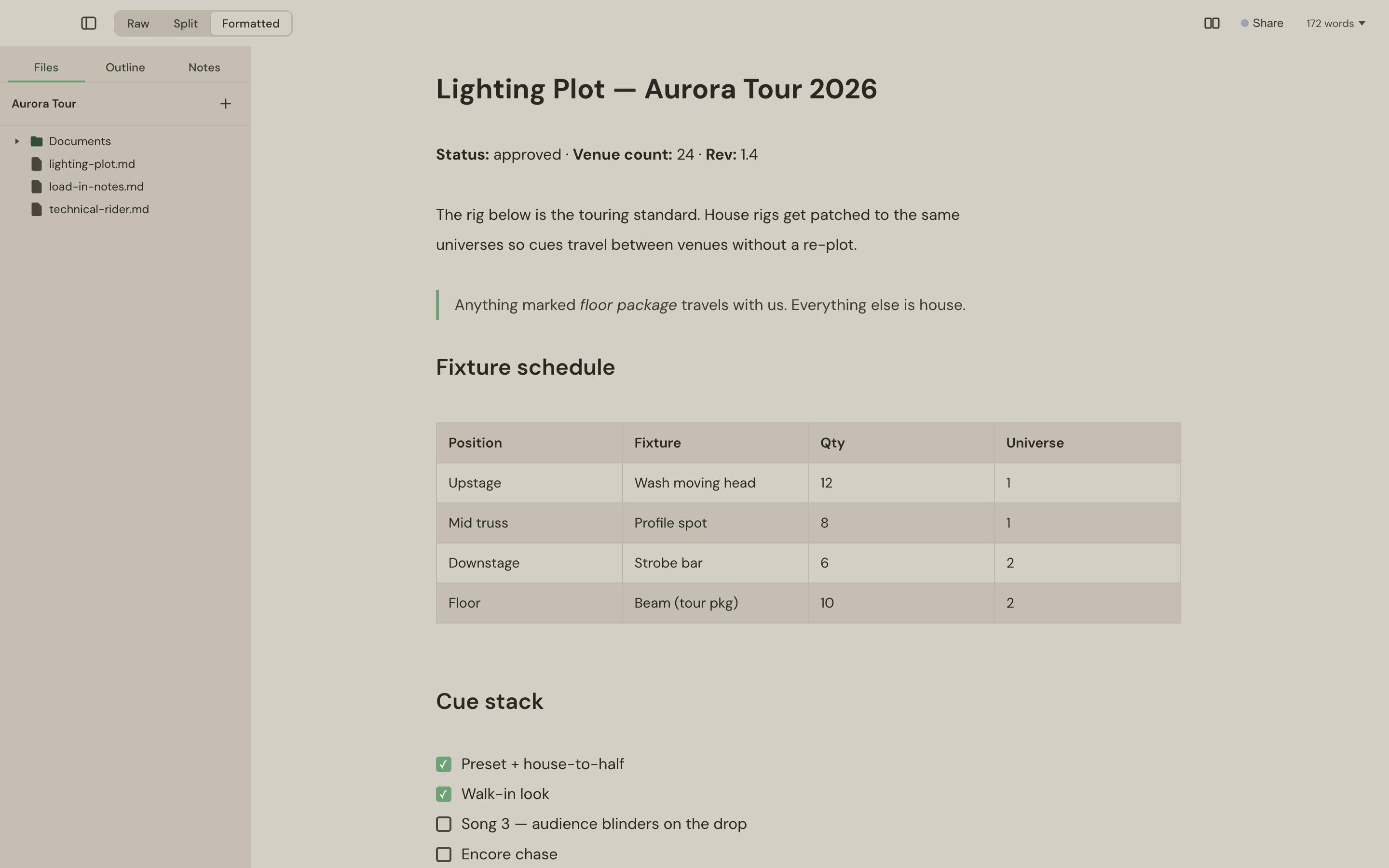
Live WYSIWYG with real tables, tappable task ticks and code blocks in 30+ languages — or the raw Markdown, syntax-highlighted — or both in step, side by side. Your files stay plain .md in a folder you chose.
Built for focused work
Three ways to see a document
Raw Markdown, live formatted preview, or both side by side — plus two different documents in side-by-side panes.
More than Markdown
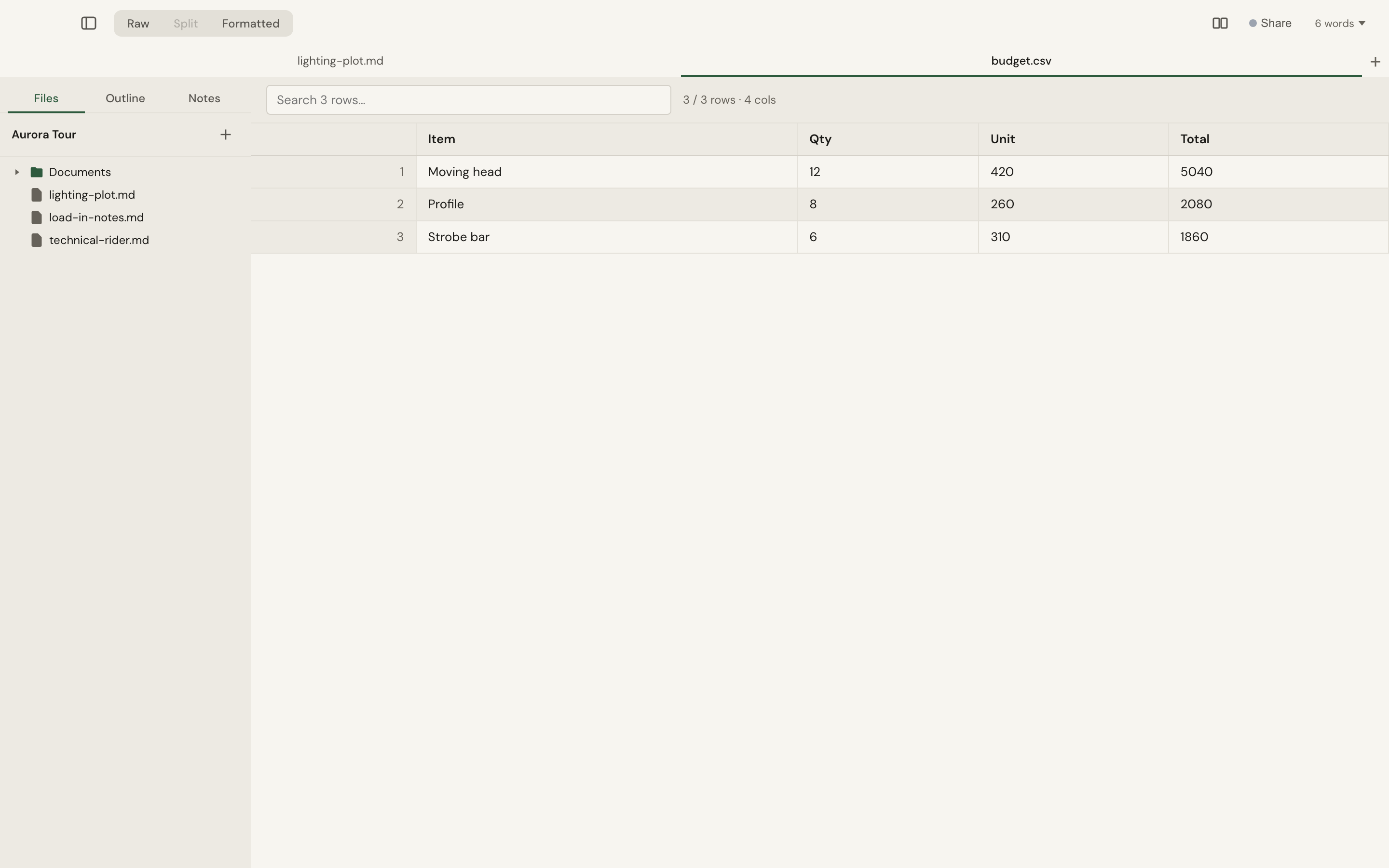
PDFs open in a paginated viewer with extracted text your AI can cite by page. CSV becomes a searchable table; JSON and XML get collapsible trees.
Sealed regions
Encrypt part of a document in place with a password (AES-GCM) — several independent password groups per file. The file stays valid Markdown, safe to email or commit.
Share on the local network
A live document shared to a laptop across the room — mDNS discovery, PIN pairing, encrypted, both sides typing at once. No server, no account.
Works with no internet
Fonts bundled, themes local, files on disk, AI over loopback. Everything works on a plane or in a venue with hostile wifi.
Quiet, fast, native
23 slash commands, outline navigation, tabs, auto-save, export to PDF and Word, 12 themes held to WCAG AA. Signed, notarised, auto-updating.
What it's for
Review a contract with your AI
Open the PDF, highlight the indemnity clause, ask “what's our exposure here?”. The answer lands in the margin, citing the page. Nothing is uploaded to a vendor.
Write a spec with an AI pair
Draft the headings, select a section, say “fill this in from the notes in the other tab”. It reads both and writes in place. ⌘Z if you don't like it.
Send a rate card that's safe to email
Rates sealed under one password, credentials under another, everything else in the clear. One ordinary .md file.
Work a show file on site
No internet. PDF rider in one pane, running notes in the other, shared to the production manager's laptop over the venue LAN.
One price. No subscription.
£9.99 once
Perpetual licence for 3 Macs. Free, full-featured for 10 days first — no account, no card. The version you buy keeps working even if you never pay us again.
Questions
- Do I need an AI subscription?
- No — Slab Pad is a complete editor without one. If you have Claude or another assistant that speaks MCP, you can connect it in one command.
- Is my writing used for training?
- Nothing leaves your Mac through Slab Pad. If you connect your own assistant, whatever you send it is governed by your agreement with that provider.
- What if I stop paying?
- There's nothing to stop paying — the licence is perpetual. The version you bought keeps working.
- Can I use my existing notes?
- They're .md files in a folder. Open the folder. No import, no vault format, no account.
Download for Mac
Full app, free for 10 days. Signed, notarised, auto-updating.
Loading latest release...