Slab
Introducing Slab: quiet tools with your AI in the loop
15 August 2026
Slab is a small family of tools built on an unfashionable idea: software for reading and writing should stay out of the way, keep your documents where you put them, and let the AI you already trust do the helping.
What we kept refusing
Every writing tool we tried wanted to be a workspace. Every reading app wanted to be a platform. And lately, every one of them wants to sell us an AI — their model, their subscription, their chat window bolted to the side of our work. The tools got louder while the work stayed the same: read carefully, mark honestly, write clearly.
So Slab is built around three refusals: no proprietary formats, no second AI subscription, and no interface that competes with the document for your attention.
The tools
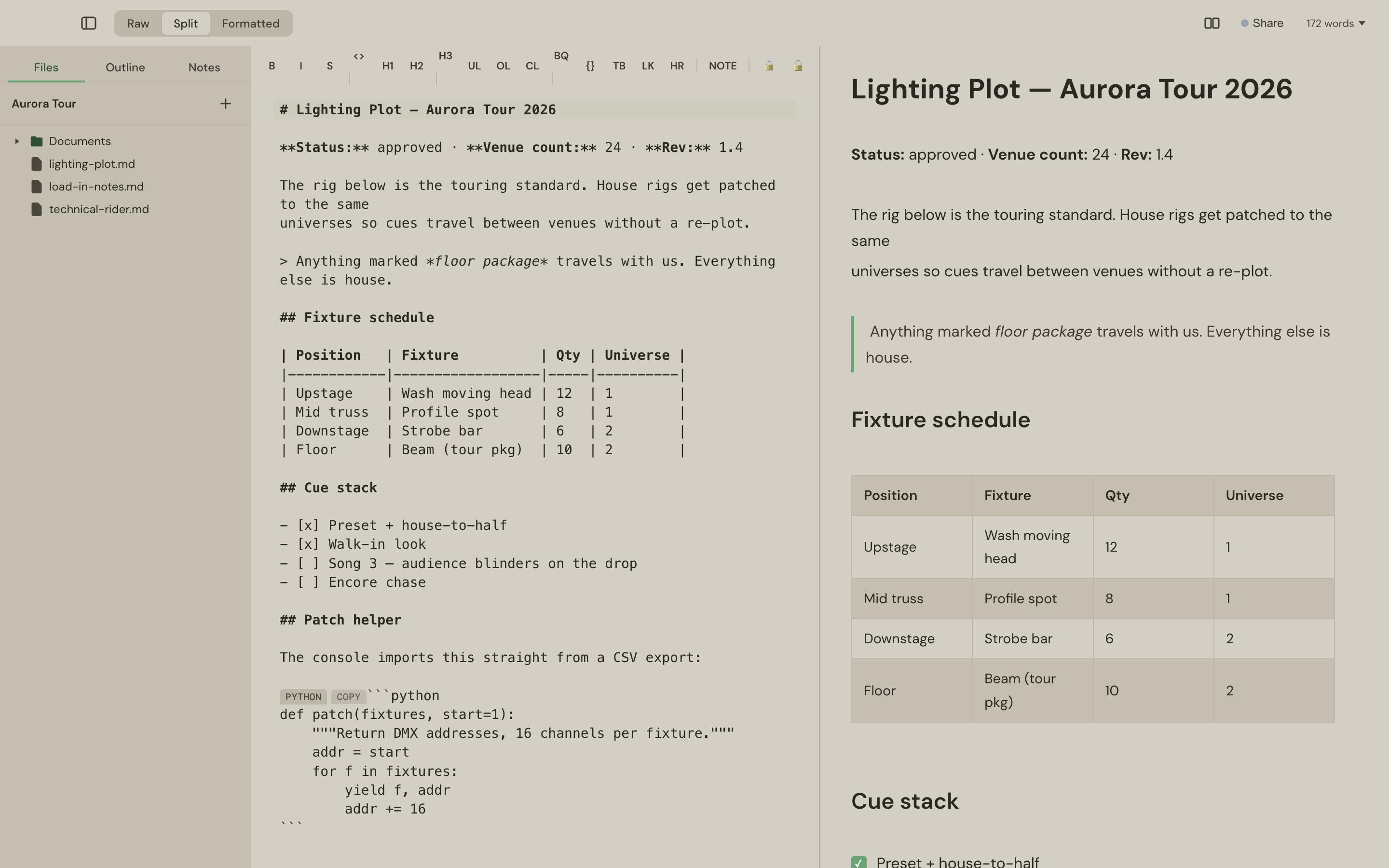
Slab Pad is a Markdown editor for the Mac. Plain .md files in folders you chose, a live preview that stays in step, PDFs and CSVs alongside your notes, and passages you can encrypt in place when a document carries something confidential. It costs £9.99 once — perpetual licence, three Macs, ten-day free trial.
Slab Reader is a reading app for the iPad — PDFs and Markdown, with the Apple Pencil as a real highlighter. Sweep to mark, note your doubts, filter by colour across the whole library, and read the lot offline. It's coming to the App Store from £1.99 a month.
A third tool — Slab CMD, a terminal companion — is in development.
The connecting idea
What makes the family one product rather than two is the AI architecture. Slab ships no chatbot. Instead, both tools speak MCP — the open standard assistants use to connect to the world — so the assistant you already pay for becomes part of your workflow:
- In Pad, it reads your selection, answers questions in margin threads, and edits the section you're looking at — through a local server that never leaves your Mac.
- In Reader, it reads your pencil highlights and replies under them, sends documents to your library, and picks up your notes from any chat you have with it.
- In both, your chats stay in your AI — one assistant, one memory, one history — and the answers stay in your documents, where the work is.
We've written up why we think bring-your-own-AI is the right architecture — the short version is: one subscription, no scattered chat histories, and a privacy model where your content never enters anyone else's AI pipeline.
Where it's going
Slab Pad is shipping today and updates itself — the changelog is public. Slab Reader is in the final stretch before the App Store. The two share an account, and over time they'll share more: one library, one set of AI connections, one quiet place for the reading and writing that matters.
Try Slab Pad free for 10 days, or get one email the day Reader launches.